Complete Blender beginner workflow for Cinematic art,step-by
Complete Blender beginner workflow course for Cinematic art, step-by. Complete Beginner’s Blender Workflow Course for Cinematic Art Step by Step In this 5.5-hour tutorial, we will create cinematic art from the beginning in Blender, from start to finish. The whole process of creating scenes is recorded step by step, so the tutorial is easy even for beginners. The tutorial is divided into 30 parts with an average duration of 12 minutes to make it easy to follow. This is the workflow I’ve learned over the last 4 years of using Blender. All resources and links are included in the tutorial and subtitles are also available with shortcuts. First, we’ll cover the basics in a 10-minute introduction to help you better understand Blender. After that, we learn modeling techniques and build the motel down to the smallest detail. We will use shortcuts to make the modeling process easier. In the second part of the tutorial, we will talk about lighting, materials, particle system, mix shader, rendering, etc. I’ll show you where to find free textures, how to blend shaders and create a bump, bump, and other maps, and how to open and create overlay textures. We will also work with objects imported into Blender from external sources. I’ll show you the best places to download objects, materials, and the most useful plugins I use in Blender. We’ll talk in more detail about how to use Quixel Bridge, a place where you can find thousands of 3D assets, surfaces, vegetation, defects, and more. I’ll show you how to blend volume and light in Blender to create a dark, cinematic, hazy look. Finally, we do some post-processing in After Effects, but if you don’t use After Effects, you can use the same techniques in any graphics program.
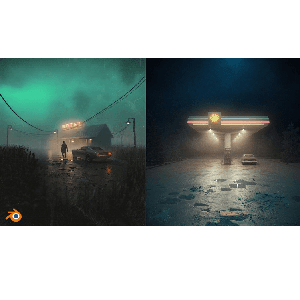
Instant high-definition streaming with zero paywalls.
What You'll Master in this Course
Course Curriculum30 Lectures
1 sections • 31.9 hours total length
Requirements
- Free software Blender. No previous experience is necessary.
Description
Instructor
Udemy
Specialist in Game Development & 3D Art
Passionate educator focused on real-world practical skills, modern frameworks, and production-ready engineering practices. Delivering step-by-step masterclasses accessible to learners globally on MJ Accedemy.
Instant high-definition streaming with zero paywalls.
Students Also Viewed

3ds Max 2024 Essential Training
Industry Specialist
Victory3d – Complete Guide to Realistic Character Creation in Blender
Industry Specialist
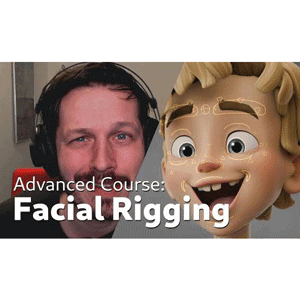
Blender Studio – Advanced Facial Rigging
Industry Specialist
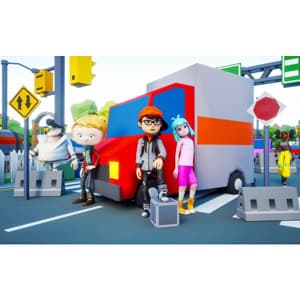
Unreal Engine 5 Mobile Game Development For Beginners
Industry Specialist